> ## Documentation Index
> Fetch the complete documentation index at: https://promptlayer-1023-gorgias-docs.mintlify.site/llms.txt
> Use this file to discover all available pages before exploring further.
# Tagging Requests
While using PromptLayer, over time the number of logs will grow, making it difficult to find what you are looking for. Tags are a great way to help keep things organized.
Tags can be used for whatever you want, but the top 2 ways are to:
1. Keep track of which application you are working on
2. If you are chaining prompts together, where you are in the pipeline
For example, if you are working on an email application that has three chained stages, it would be a good idea to tag all the requests in this application with `email` and the corresponding stage `stage-x`
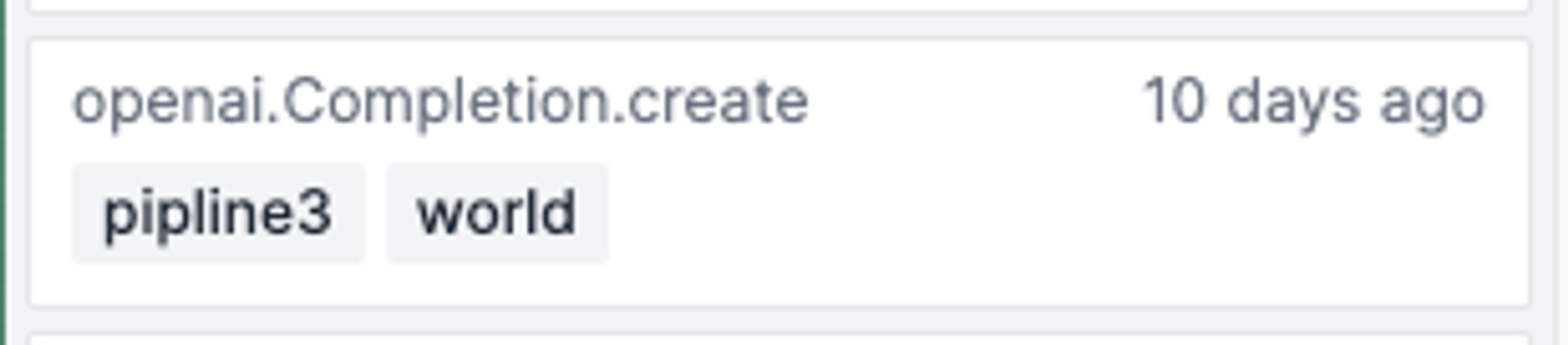
To add a tag, add the keyword argument `pl_tags` into your OpenAI request like so:
```python Python SDK
openai.Completion.create(
engine="gpt-3.5-turbo-instruct",
prompt="My name is",
pl_tags=["pipeline3", "world"] # 🍰 PromptLayer tags
)
```
```js JavaScript
openai.completions.create({
model: "gpt-3.5-turbo-instruct",
prompt: "My name is",
pl_tags: ["pipeline3", "world"], // 🍰 PromptLayer tags
});
```
```python Python (LangChain)
llm = OpenAI(
model_name="gpt-3.5-turbo-instruct",
callbacks=[
PromptLayerCallbackHandler(
pl_tags=["pipeline3", "world"] # 🍰 PromptLayer tags
),
],
)
response = llm("My name is")
```
```js Javascript (LangChain)
const llm = new PromptLayerOpenAI({
temperature: 0.9,
openAIApiKey: process.env.OPENAI_API_KEY,
promptLayerApiKey: process.env.PROMPTLAYER_API_KEY,
plTags: ["pipeline3", "world"], // 🍰 PromptLayer tags
});
llm.call("My name is");
```
Alternatively, use the REST API endpoint `/rest/track-request` ([read more](/reference/track-request)).
This will then show up on your PromptLayer dashboard:
 And can be filtered by clicking on the tags button by the search-bar:
##
And can be filtered by clicking on the tags button by the search-bar:
##  Want to say hi 👋 , submit a feature request, or report a bug? [✉️ Contact us](mailto:hello@magniv.io)