> ## Documentation Index
> Fetch the complete documentation index at: https://promptlayer-1023-gorgias-docs.mintlify.site/llms.txt
> Use this file to discover all available pages before exploring further.
# Python
To get started, create an account by clicking “*Log in*” on [PromptLayer](https://promptlayer.com/). Once logged in, click the button to create an API key and save this in a secure location ([Guide to Using Env Vars](https://towardsdatascience.com/the-quick-guide-to-using-environment-variables-in-python-d4ec9291619e)).
Once you have that all set up, [install PromptLayer using](https://pypi.org/project/promptlayer/) `pip`.
```bash
pip install promptlayer
```
PromptLayer python library has support for both OpenAI and Anthropic LLMs!
## OpenAI
In the Python file where you use OpenAI APIs, add the following. This allows us to keep track of your requests without needing any other code changes.
```python openai >= 1.0.0
import promptlayer
promptlayer.api_key = ""
OpenAI = promptlayer.openai.OpenAI
```
```python openai < 1.0.0
import promptlayer
promptlayer.api_key = ""
openai = promptlayer.openai
```
**You can then use `openai` as you would if you had imported it directly.**
Your OpenAI API Key is **never** sent to our servers. All OpenAI requests are made locally from your machine, PromptLayer just logs the request.
There is only one difference… PromptLayer allows you to add tags through the `pl_tags` argument. This allows you to track and group requests in the dashboard.
************Tags are not required but we recommend them!************
```python
openai.Completion.create(
engine="text-ada-001",
prompt="My name is",
pl_tags=["name-guessing", "pipeline-2"]
)
```
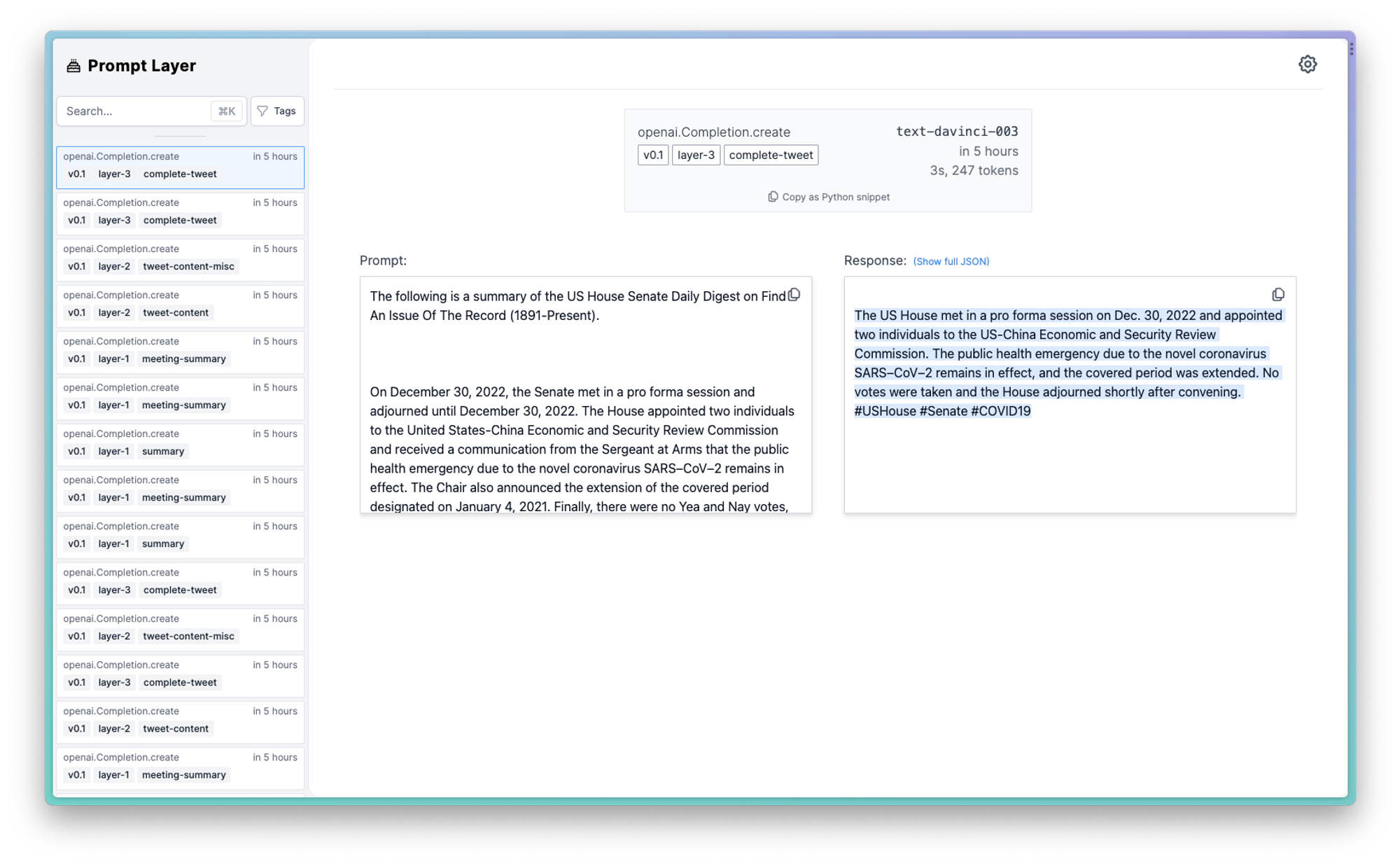
After making your first few requests, you should be able to see them in the PromptLayer dashboard!
 Here is a complete code snippet:
```python
import promptlayer
# Swap out 'from openai import OpenAI'
OpenAI = promptlayer.openai.OpenAI
client = OpenAI()
completion = client.chat.completions.create(
model="gpt-3.5-turbo",
messages=[
{"role": "system", "content": "You are an AI."},
{"role": "user", "content": "Compose a poem please."}
],
pl_tags=["getting-started"]
)
print(completion.choices[0].message)
```
## Anthropic
Using Anthropic with PromptLayer is very similar to how to one would use OpenAI.
Below is an example code snippet of the one line replacement:
```python
import promptlayer
# Swap out 'from anthropic import Anthropic'
anthropic = promptlayer.anthropic
client = anthropic.Anthropic()
completion = client.completions.create(
prompt=f'{anthropic.HUMAN_PROMPT} How many toes do dogs have? {anthropic.AI_PROMPT}',
stop_sequences=[anthropic.HUMAN_PROMPT],
model='claude-v1-100k',
max_tokens_to_sample=100,
pl_tags=['animal-toes']
)
print(completion)
```
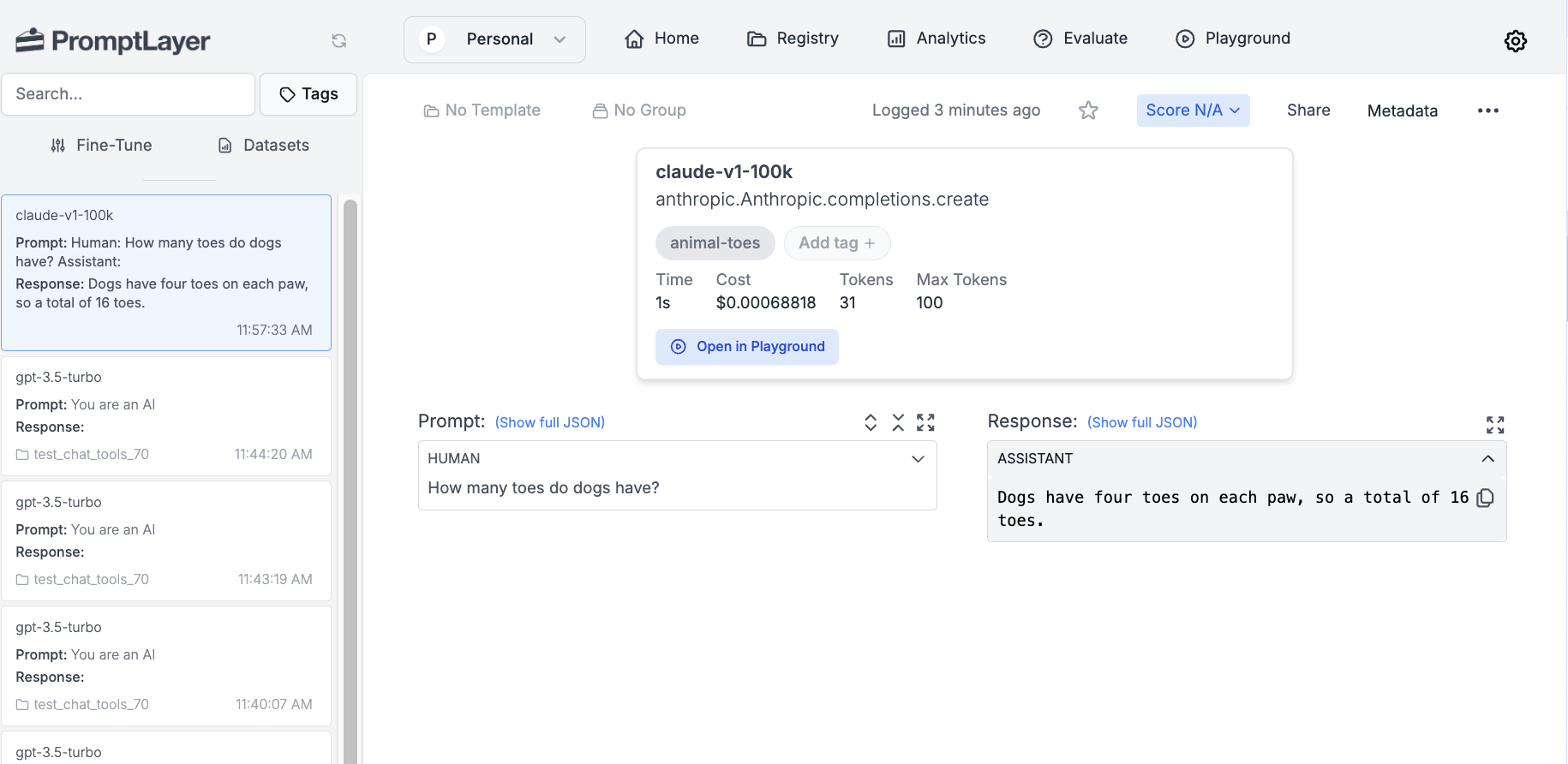
Here is how it would look like on the dashbaord:
Here is a complete code snippet:
```python
import promptlayer
# Swap out 'from openai import OpenAI'
OpenAI = promptlayer.openai.OpenAI
client = OpenAI()
completion = client.chat.completions.create(
model="gpt-3.5-turbo",
messages=[
{"role": "system", "content": "You are an AI."},
{"role": "user", "content": "Compose a poem please."}
],
pl_tags=["getting-started"]
)
print(completion.choices[0].message)
```
## Anthropic
Using Anthropic with PromptLayer is very similar to how to one would use OpenAI.
Below is an example code snippet of the one line replacement:
```python
import promptlayer
# Swap out 'from anthropic import Anthropic'
anthropic = promptlayer.anthropic
client = anthropic.Anthropic()
completion = client.completions.create(
prompt=f'{anthropic.HUMAN_PROMPT} How many toes do dogs have? {anthropic.AI_PROMPT}',
stop_sequences=[anthropic.HUMAN_PROMPT],
model='claude-v1-100k',
max_tokens_to_sample=100,
pl_tags=['animal-toes']
)
print(completion)
```
Here is how it would look like on the dashbaord:
 ***
Want to say hi 👋 , submit a feature request, or report a bug? [✉️ Contact us](mailto:hello@promptlayer.com)
***
Want to say hi 👋 , submit a feature request, or report a bug? [✉️ Contact us](mailto:hello@promptlayer.com)